
Download iPhone Explorer – iOS File Access, Custom Ringtones, Music Management
Overview
iPhone Explorer is a utility designed for iOS users seeking deeper control over their device’s file system. It functions as a bridge between the user and the internal storage of an iPhone, iPad, or iPod touch, enabling direct access to folders containing media such as videos, music, and pictures. This capability addresses a key limitation of the standard iOS interface, which restricts access to many system-level directories. By offering a file management experience similar to that of a traditional hard drive, iPhone Explorer empowers users to organize, transfer, and manage content with greater flexibility.
The app is particularly useful for individuals who frequently manage large media libraries, create custom ringtones, or need to access hidden or restricted files. It serves both casual users looking for a simpler way to manage their content and more advanced users interested in deeper system-level access. Although the developer did not provide additional background information, the app has been available since 2011, indicating a long-standing presence in the iOS ecosystem. Its continued relevance suggests a stable, reliable function for users who value file-level control.
Real-world use cases include transferring music files between devices, backing up media, or preparing audio clips for custom ringtones. In a broader context, iPhone Explorer fills a niche in the mobile app landscape by providing a tool that complements Apple’s tightly controlled environment with greater user autonomy. While it requires iTunes for optimal performance, this dependency underscores its integration with Apple’s existing ecosystem.
Key Features & Functionality
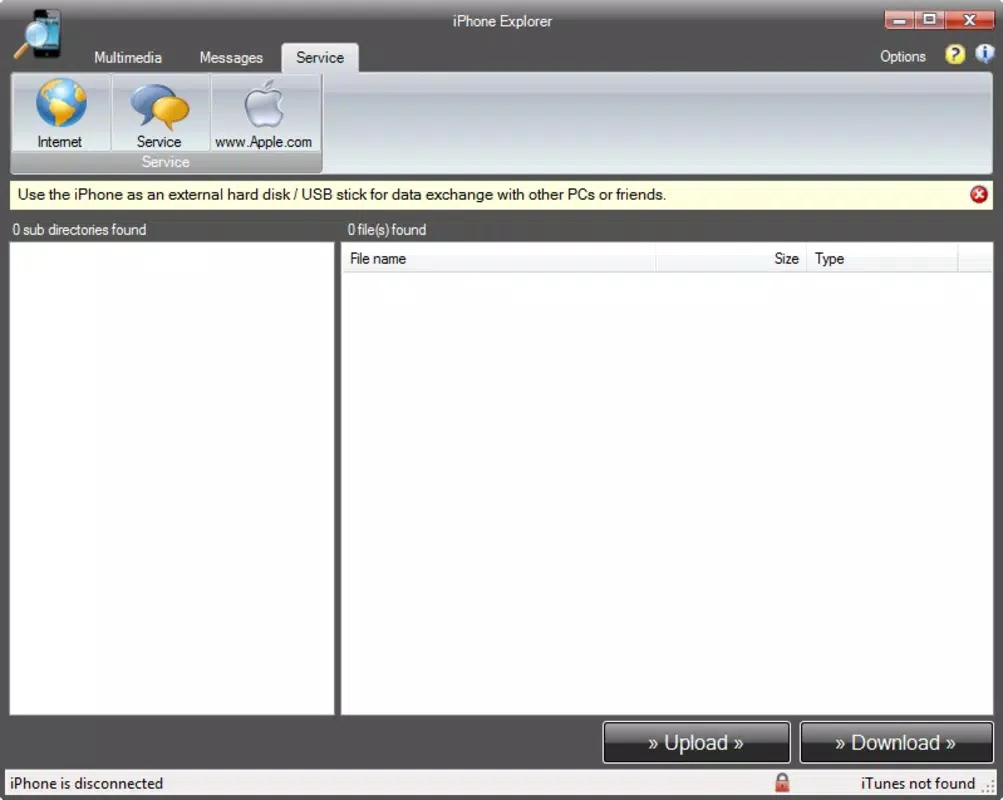
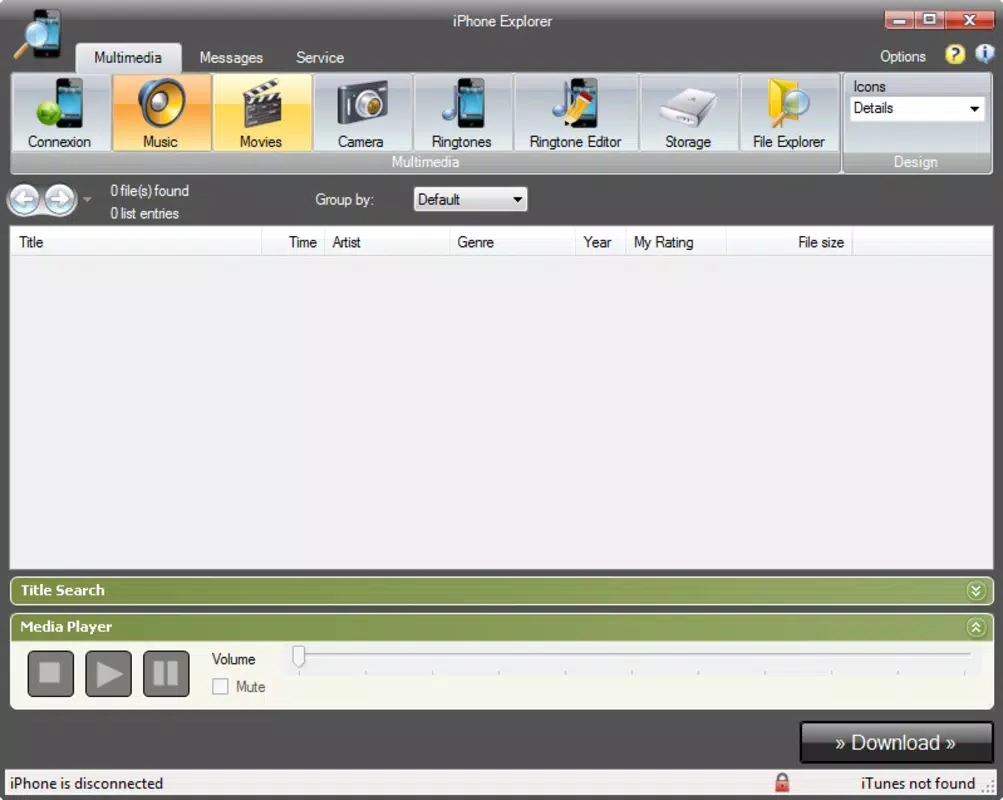
- Easy File Access: iPhone Explorer allows users to browse through iOS device folders as if connected via a removable drive. This includes media directories for music, videos, and photos, enabling seamless file transfers and organization without relying on cloud services or third-party apps.
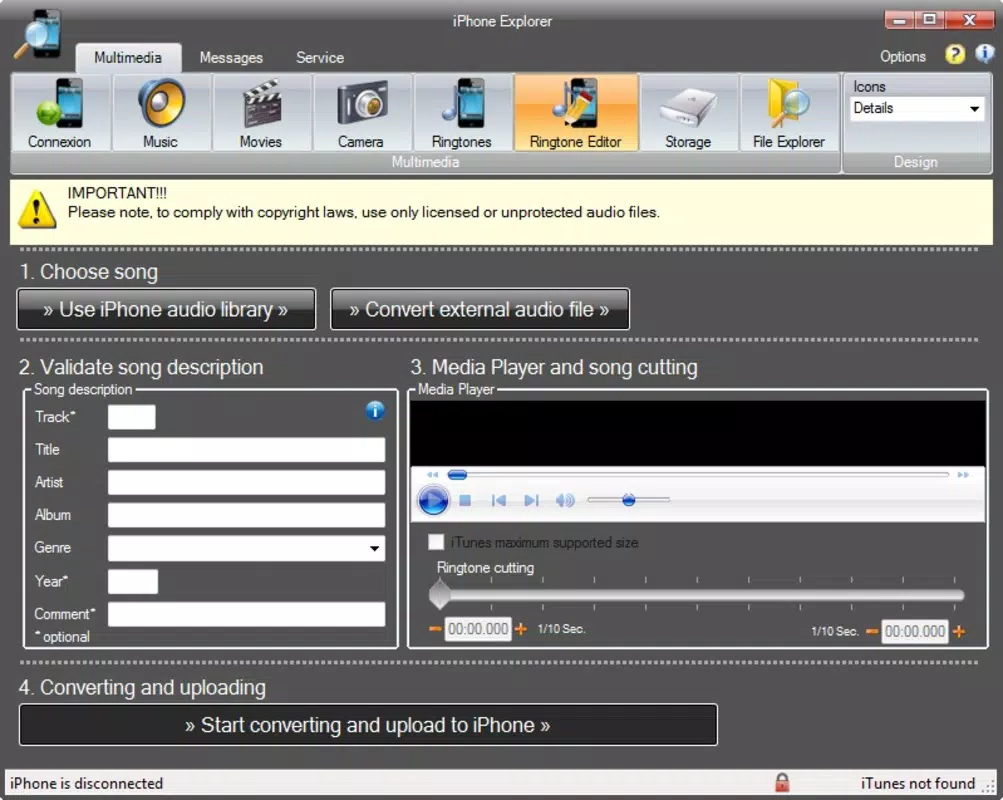
- Custom Ringtone Creation: The built-in audio editor supports trimming audio clips from music libraries to create personalized ringtones. Users can select a segment, adjust the start and end points, and save the result as a ringtone compatible with iOS devices.
- User-Friendly Interface: Designed with simplicity in mind, the app features an intuitive layout with clear navigation paths. Even users unfamiliar with file management systems can quickly learn to locate and manage files without technical barriers.
- Access Hidden Files: Beyond standard media folders, iPhone Explorer grants visibility into system directories typically inaccessible through the native iOS interface. This is especially beneficial for advanced users who need to troubleshoot or manage files outside the standard user environment.
- Integration with iTunes: The app requires iTunes to be installed on the host computer for full functionality. This integration ensures stable communication between the device and the app, enabling reliable file operations and consistent performance.
For example, a user could use iPhone Explorer to extract a favorite song from their library, trim it to 30 seconds, and convert it into a ringtone—all within the app. Another user might use it to back up a folder of family photos to a computer, bypassing the need for iCloud or manual photo syncing.
Interface, UX & Performance
The interface of iPhone Explorer is structured around a file browser layout, presenting folders and files in a hierarchical tree view. Navigation is straightforward, with clearly labeled icons and consistent visual cues that guide users through the file system. The design prioritizes usability over visual flair, focusing on clarity and efficiency.
Users can expect a responsive experience when browsing through media files, with minimal lag during navigation. Although the developer did not list formal performance metrics, the app’s long-standing operation suggests a stable and reliable performance history. It functions across a range of device categories, from older iPhones to newer models, as long as iTunes is properly installed.
Responsiveness is maintained through direct communication with iTunes, which handles the underlying data transfer. Stability appears consistent, particularly when the required dependencies are met. However, performance may vary depending on the host computer’s configuration and the size of the file library being accessed.
Overall, the user experience is streamlined for its intended purpose: file access and management. The app avoids unnecessary complexity, making it accessible to a wide audience while still offering depth for power users.
Platform Compatibility & Technical Requirements
iPhone Explorer is designed for use with iOS devices, including iPhones, iPads, and iPod touches. It operates on computers running the macOS or Windows operating systems, as it relies on iTunes for device communication. The app does not run directly on the iOS device but functions as a desktop utility.
The developer did not specify minimum OS requirements or exact file size. Compatibility with specific versions of iTunes was not disclosed. However, given its release date in 2011, the app is likely compatible with older versions of iTunes and may require updated versions for newer macOS or Windows systems.
Users should ensure that iTunes is installed and properly configured on their computer before attempting to use iPhone Explorer. The app’s functionality is entirely dependent on this integration, and without it, full features may not be available.
Pros and Cons
Pros
- Provides direct access to iOS device folders, including media and hidden files
- Enables custom ringtone creation with a built-in audio editor
- Features a user-friendly interface suitable for beginners and advanced users
- Offers a desktop-based solution for file management outside Apple’s ecosystem
- Has a long history of stable performance since 2011
Cons
- Requires iTunes to be installed on the host computer
- Not available as a standalone iOS app; limited to desktop use
- Compatibility with newer operating systems may be uncertain
- Developer did not provide technical specifications or update history
- May not support the latest iOS versions without additional configuration
FAQ
Is iPhone Explorer available for iOS devices?
iPhone Explorer is not a mobile app for iOS. It is a desktop utility that connects to iOS devices via iTunes on macOS or Windows computers.
Do I need iTunes to use iPhone Explorer?
Yes, iTunes is required for iPhone Explorer to function properly. The app relies on iTunes to establish a connection and manage file transfers between the computer and the iOS device.
Can I use iPhone Explorer to back up my photos and videos?
Yes, you can use iPhone Explorer to access and copy photos, videos, and other media files from your iOS device to your computer for backup purposes.
Is iPhone Explorer safe to download and use?
As long as the app is obtained from a trusted source, iPhone Explorer is considered safe. However, users should ensure they are downloading from an official or reputable provider to avoid potential security risks.
Does iPhone Explorer support the latest iOS versions?
Compatibility with the latest iOS versions is not guaranteed. The app was released in 2011, and while it may still work on newer devices, performance and support depend on the version of iTunes and the host operating system.
Final Thoughts
iPhone Explorer remains a valuable tool for iOS users who need direct access to their device’s file system. Its ability to navigate media folders, create custom ringtones, and access hidden files offers a level of control often missing in Apple’s closed ecosystem. While it requires iTunes and is not available as a standalone mobile app, its functionality is well-suited for users managing large media libraries or seeking greater autonomy over their data.
Despite its age, the app continues to serve a niche but important role in the mobile app landscape. It is especially beneficial for users who prefer desktop-based file management or need to work with files outside Apple’s approved workflows. For those looking to enhance their iOS experience with deeper file access and creative customization, iPhone Explorer delivers real utility.
Download iPhone Explorer now


